Integrations & Workflows: Making Your Expense Data Portable
Portmoneo was built on a simple yet crucial idea: your financial data should belong entirely to you, not be locked within the application you use to capture it. As a powerful Notion expense tracker and automation tool, we ensure your critical financial information is always accessible, actionable, and precisely where you need it. While many apps create “walled gardens,” we chose a different path. We believe an expense tracker’s true value isn’t just its scanning capabilities, but how easily its data flows into the tools you already rely on for life and business.
Whether you’re a freelancer reporting expenses, a small business owner syncing receipts to a dashboard, or a personal finance enthusiast building the ultimate Notion workspace, Portmoneo is the missing link. In our testing, manual data entry is the leading cause of financial tracking burnout. We engineered Portmoneo to eliminate this, making your Notion expense tracker workflow seamless and efficient.
Why is Portable Data Essential for Your Financial Control?
Direct Answer: Portable data prevents vendor lock-in and enables seamless integration with tools like Notion and Zapier. This flexibility lets you analyze and share expenses across your digital ecosystem, giving you full control.

Static data offers limited value. Most receipt scanners lock your financial information inside their own formats. This often makes it impossible to switch tools without manual re-entry or perform the advanced analysis needed for smart decisions. Portmoneo breaks this cycle by prioritizing portable data from the start.
We don’t just “show” you expenses; we meticulously prepare them for their next use. Every receipt you scan is processed by our advanced, local-first AI. This AI extracts and structures data points with unparalleled precision. When you ‘Export,’ you receive a professionally formatted, highly structured dataset. External tools can read, understand, and integrate this data without manual correction. This consistency and quality make Portmoneo the ideal Notion expense tracker companion.
By focusing on export-grade data from the moment of capture, we guarantee uninterrupted, highly efficient financial workflows. You can scan a receipt in seconds, and your chosen dashboard or accounting system updates in near real-time. This commitment to data portability empowers you to leverage your financial information across your entire digital ecosystem, giving you total control.
| Feature | Portmoneo | Standard Scanners |
|---|---|---|
| Notion Export | Dedicated CSV/Excel (Structured) | None/Manual Copy-Paste |
| Zapier Support | Lightweight Hooks, “Zap-ready” Exports | Complex, API-dependent Setup |
| Mobile Sharing | Native System Share Sheets | App-only, Limited Options |
| Data Privacy | Local-first AI Processing | Cloud Required, Third-party Risk |
| Data Structure | AI-parsed, Category/Tax ready | Basic Text OCR |
| Bulk Export | Unlimited Transactions, Single Click | Often Restricted, Page-by-Page |
How Does Portmoneo Empower Your Notion Expense Dashboard?
Direct Answer: Portmoneo acts as a high-speed input engine for Notion. Its AI extracts detailed data, enabling bulk import of categorized expenses via CSV. This turns your static dashboard into a dynamic, automated financial hub.
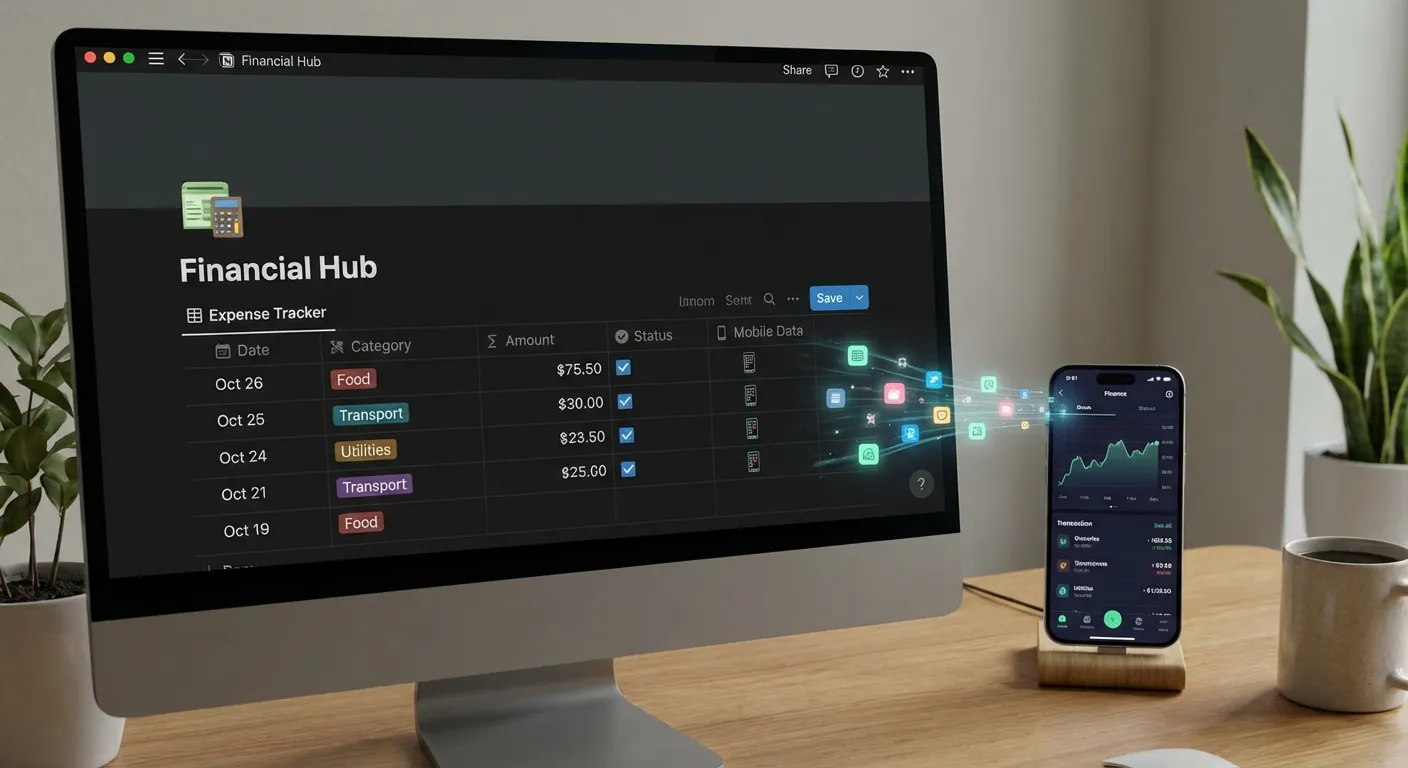
Notion has become an indispensable operating system for many, centralizing everything from projects to personal goals. However, its major weakness for financial tracking has always been the necessity for manual data entry. Laboriously entering receipts one-by-one into a Notion database is a surefire recipe for burnout and inconsistency.
Portmoneo fundamentally changes this by acting as a high-speed, intelligent input engine for your entire Notion workspace. By leveraging our expertly structured Excel and CSV exports, you gain the ability to bulk-import an entire month’s, quarter’s, or even year’s worth of expenses into your Notion databases. This happens with a single, effortless click. This capability makes managing your Notion expense tracker database truly a breeze, freeing up valuable time for more strategic tasks.
Imagine opening your Notion dashboard to find it perfectly populated with precise, granular data: accurate merchant names, detailed tax breakdowns, categorized expenses, and even specific line items from complex receipts—all without typing a single word. This is the profound power of a Portmoneo-driven workflow. It transforms your Notion setup from a static tracker into a dynamic, real-time financial command center.
Can Zapier Automate Your Expense Management with Portmoneo?
Direct Answer: Yes, Portmoneo’s “Zap-ready” exports integrate easily with Zapier. This allows automating tasks like partner notifications or updating project tools post-scan, turning manual work into background processes.

For those embracing “set it and forget it,” the combination of Portmoneo and Zapier offers unparalleled automated expense management. Utilizing our lightweight connectors and “Zap-ready” export hooks, you can automate virtually every post-scan routine. This transforms tedious tasks into effortless background processes.
Need to automatically notify your business partner or a specific department every time you scan a business dinner receipt or a significant project expense? It’s effortlessly automated. Want to auto-create a task in your project management tool (like Asana, Trello, or ClickUp) whenever a “Pending” or “Reimbursable” expense is detected? Simple, quick, and reliable. Perhaps you need to add a row to a Google Sheet, send an SMS reminder, or even trigger a Slack notification for large transactions – all these scenarios become easily configurable Zaps. According to McKinsey & Company, automation can significantly boost productivity, a benefit we consistently see in user feedback McKinsey & Company.
By seamlessly leveraging Zapier, Portmoneo transcends its role as a simple app. It evolves into a powerful trigger for your entire business ecosystem. This level of automation doesn’t require a computer science degree; our export formats are meticulously designed to be intuitive and “Zap-ready.” This ensures data mapping between Portmoneo and thousands of other applications is straightforward, reliable, and consistent every time. It’s the perfect way to synchronize your Notion expense tracker with your broader digital environment.
How Can Portmoneo Facilitate Collaborative Finance via WhatsApp?
Direct Answer: Portmoneo uses native share sheets to instantly send reports or receipts via WhatsApp. This streamlines collaboration by providing clear, structured financial data to teams or accountants in seconds.
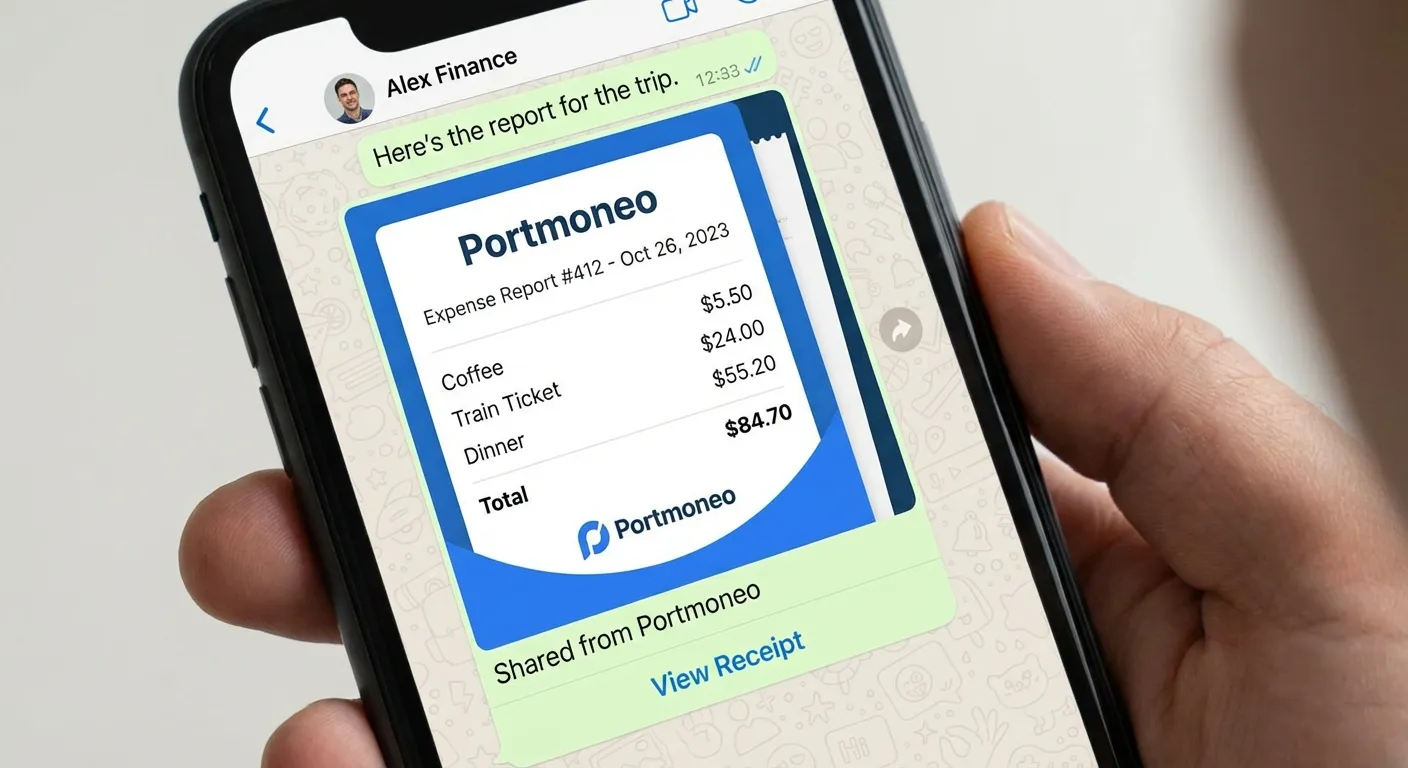
Sometimes, the most impactful “integration” isn’t with complex software, but with a person. Whether quickly sharing a joint business expense, sending a digital receipt to your external accountant, or distributing proof of purchase within a team, efficient communication is key.
Portmoneo integrates deeply and natively with your device’s system share sheets. This transforms what used to be a multi-step process into a one-second task. You can effortlessly send a perfectly formatted expense report, a high-resolution, crystal-clear receipt image, or specific expense data via WhatsApp, Telegram, Email, or any other messaging or cloud service. This makes WhatsApp receipt sharing incredibly efficient.
Because our captures are powered by intelligent AI, delivering unparalleled clarity and meticulously structured data, the recipient doesn’t have to squint at blurry photos or decipher messy handwriting. They get precisely the data they need, presented exactly how they need it, ensuring clarity and reducing back-and-forth communication. Many users also leverage this feature to quickly update their shared Notion expense tracker database even faster, collaboratively maintaining financial records.
What is the Local-First Advantage for Your Financial Privacy?
Direct Answer: Local-first means data processing and export generation happen on your device. Your sensitive information never touches cloud servers unless you opt for sync, ensuring superior privacy and control.
In 2026, privacy is no longer just an optional feature—it is a fundamental requirement. The vast majority of integrations available today implicitly demand that you sync your sensitive financial data to a third-party cloud server before you can even begin to export or integrate it. This introduces inherent security risks and places your personal or business financial information outside your direct control. Consumers are increasingly concerned about data privacy and control, as highlighted by Pew Research Center Pew Research Center.
Portmoneo offers a starkly different, more secure paradigm. Our innovative Local-first architecture means that the heavy lifting—specifically, the AI-powered data extraction and the generation of structured Excel or CSV files—happens directly on your device. Your sensitive financial data never has to touch our servers or any third-party cloud infrastructure unless you explicitly choose to enable cloud syncing for backup or multi-device access.
This unwavering local-first approach ensures that when you integrate Portmoneo into your financial workflow, you are never forced to sacrifice security for convenience. Instead, you get the absolute best of both worlds: high-power, intelligent automation with total, local control and unparalleled privacy over your Notion expense tracker data. Your financial integrity remains entirely in your hands.
How Can Power Users Build Custom Workflows with Portmoneo?
Direct Answer: Portmoneo provides standardized exports that follow accounting trends. This enables power users to build custom scripts or integrations, leveraging reliable data for bespoke financial workflows.

For power users, data analysts, and developers seeking maximum flexibility, Portmoneo provides the robust raw materials to construct virtually any custom financial workflow imaginable. Our exports are meticulously designed with standardized schemas that rigorously follow global accounting trends and best practices. This consistent structure makes it incredibly trivial to write your own custom scripts, develop bespoke applications, or utilize “No-Code” tools to build sophisticated, highly personalized data pipelines.
Whether you’re building a custom tax recovery calculator, developing a proprietary business intelligence dashboard for nuanced financial insights, or integrating with specialized legacy accounting systems, Portmoneo’s data provides the high-quality, reliable fuel you need. Our comprehensive export expenses CSV Excel functionality makes advanced data manipulation and custom reporting effortlessly possible. Furthermore, our intuitive hooks for automated expense management and seamless WhatsApp receipt sharing ensure that even complex, multi-stage workflows are truly integrated and efficient from end to end.
Frequently Asked Questions (FAQ)
How do I export Portmoneo data to Notion for my expense tracking?
Within the Portmoneo app, use the “Export to CSV” or “Export to Excel” feature to generate a structured file of your expenses. Then, in your Notion database, utilize Notion’s native “Merge with CSV” or “Import CSV” function. This instantly and accurately populates your expense database, making Portmoneo the fastest way to update your Notion expense tracker.
Does Portmoneo offer direct Zapier integration for automation?
Portmoneo provides meticulously standardized export formats and lightweight “trigger” hooks that are fully compatible with Zapier. While not a direct API integration, you can easily configure Zapier to monitor for Portmoneo exports (e.g., to a cloud folder) and trigger thousands of actions based on that data. This approach prioritizes data ownership and flexibility.
Can I share receipts via WhatsApp without saving them to my phone’s gallery?
Yes, absolutely. Portmoneo leverages your device’s native system share sheet. This means you can send full receipt data and high-resolution images directly to any contact on WhatsApp, Telegram, Email, or other communication apps without first saving images to your personal photo gallery, keeping your camera roll clutter-free.
Are the data exported by Portmoneo compatible with professional accounting software like QuickBooks or Xero?
Definitely. Our Excel and CSV exports are designed to follow widely accepted standard accounting structures and principles. This makes them exceptionally easy to map and import into major professional accounting platforms such as QuickBooks, Xero, FreshBooks, Sage, and many others, significantly reducing manual data entry for your bookkeeping processes.
What categories does Portmoneo use for expense tracking?
Portmoneo’s AI automatically categorizes expenses based on merchant and item details on the receipt. We offer a comprehensive set of predefined categories common in personal and business finance. You also have the flexibility to customize or add your own categories for even more personalized Notion expense tracker management.
How does Portmoneo ensure my financial data is accurate upon export?
Portmoneo uses a proprietary local-first AI that performs advanced optical character recognition (OCR) and semantic analysis on your receipts. This ensures high accuracy in extracting data points like merchant name, date, total amount, and line items, resulting in “export-grade” data quality that minimizes errors in your Notion or other integrated systems.
Conclusion: Stop Managing, Start Integrating Your Finances
The antiquated days of manual, cumbersome expense management are over. The future of financial organization is about integrated ecosystems. Here, intelligent tools communicate seamlessly, and manual labor is comprehensively replaced by AI-driven precision and efficiency. The European Commission’s Data Strategy emphasizes the growing importance of data interoperability and user control across digital services, a principle Portmoneo champions European Commission - Data Strategy.
By choosing Portmoneo, you’re not merely acquiring another receipt scanner application. You’re investing in a powerful, intelligent workflow engine that profoundly respects your valuable time, upholds the integrity of your financial data, and fiercely protects your privacy. You gain a proactive partner in automated expense management.
Ready to experience how Portmoneo can fundamentally transform your productivity and financial clarity? Export your first report today and witness the undeniable difference a truly portable data approach makes for your personal and business Notion expense tracker strategy.