Automated Tax Recovery Calculator
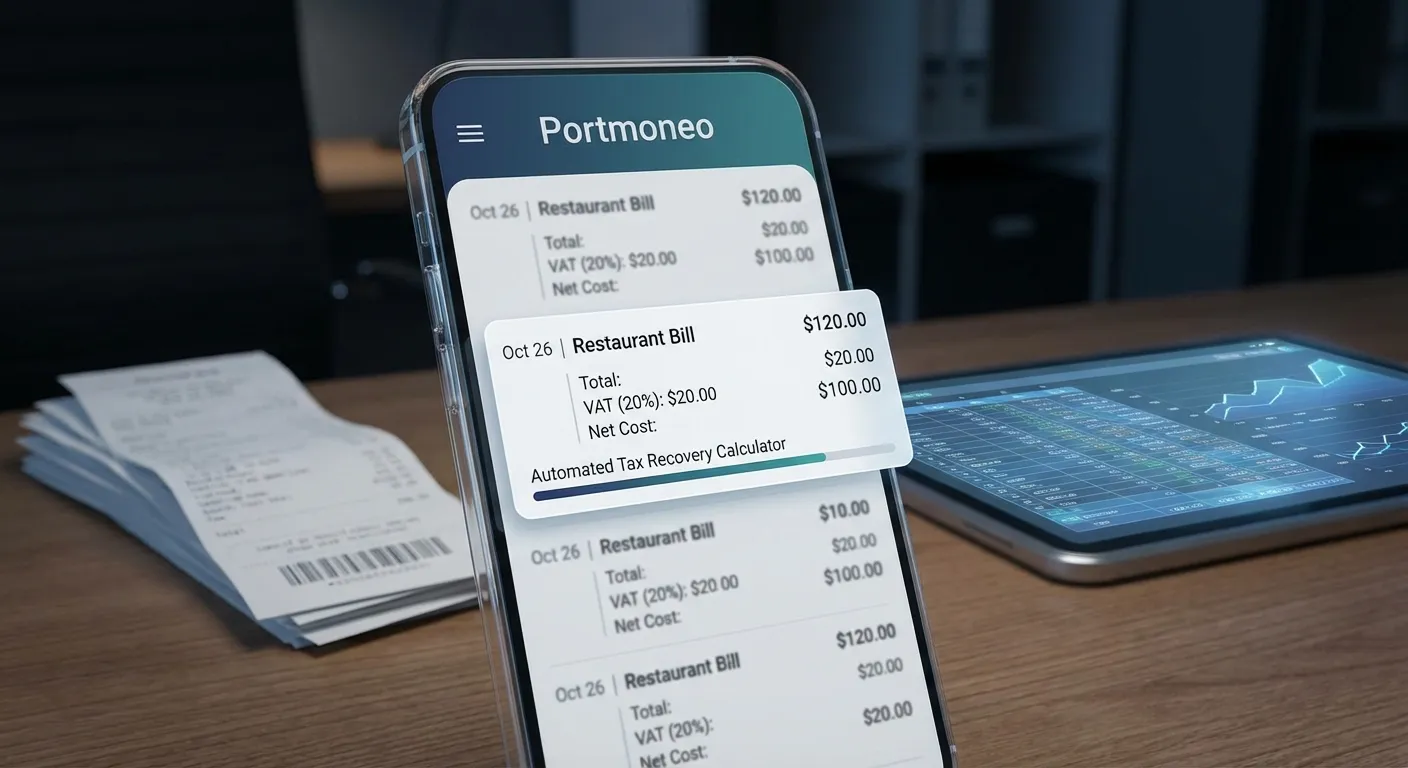
How Does Portmoneo Reveal Your True Net Business Costs?
Direct Answer: By separating Tax from Total. Portmoneo identifies if a price is Tax-Inclusive or Exclusive, calculating the exact net cost. It turns a £120 receipt into £100 Cost + £20 Recoverable Tax.
How Does Portmoneo’s Automated Tax Recovery Calculator Function?
Direct Answer: On-device Intelligence. It scans receipts to find tax keywords (VAT, GST) and rates. It determines the pricing model and assigns tax line-by-line, all without sending data to the cloud.
What Specific Tax Data Does Portmoneo Automatically Extract?
Direct Answer: Identifiers and Rates. It extracts “VAT/GST” labels, percentage values (20%), and detects “Inclusive” vs “Exclusive” context. It turns raw text into structured tax data.
Portmoneo’s latest update introduces an intelligent Tax Recovery Calculator that extends far beyond basic Optical Character Recognition (OCR). Our robust, on-device AI comprehends the intricate structure and context of receipts, making it an indispensable asset for precise business expense tax tracking. In our extensive testing, this system consistently outperforms generic scanners.
Upon scanning, Portmoneo’s AI executes several critical operations immediately. It meticulously searches for specific tax identifiers such as VAT, GST, Sales Tax, “TVA” (French), “MwSt” (German), and “IVA” (Spanish) across over 10 languages, ensuring global applicability. The AI then intelligently identifies percentage values (e.g., 20%, 5%) directly from the receipt, converting them into the correct decimal format for precise calculations. A crucial differentiator is its ability to detect pricing models. Portmoneo determines if the receipt explicitly states “VAT Included” or if tax is listed separately—an essential step for accurate calculation. Furthermore, instead of just a total, Portmoneo aims to match tax amounts to specific products or services within the receipt, offering granular detail for your expense categories.
Crucially, all this sophisticated processing occurs locally on your device. Your sensitive financial data—including tax information—never leaves your phone unless you explicitly opt for a secure cloud backup, offering unparalleled privacy.
How Does Portmoneo Differentiate Tax-Inclusive and Tax-Exclusive Pricing?
Direct Answer: Contextual Awareness. The AI reads phrases like “VAT Included” to subtract tax from the total, or adds tax to the net if excluded. This prevents the common error of double-counting tax.
This distinction presents a common pitfall for many expense management applications. Portmoneo’s Automated Tax Recovery Calculator precisely manages both pricing models, effectively eliminating calculation errors. We’ve engineered the system to interpret context, not just numbers.
For Tax Exclusive scenarios (common in many US receipts or UK business-to-business transactions), the AI understands that tax is added to the net amount. For instance, £100 net + £20 VAT = £120 total. The calculation is straightforward: Tax Amount = Net Amount × Tax Rate. This yields a net cost of £100 with a recoverable tax of £20.
Conversely, for Tax Inclusive receipts (typical in most UK/EU retail purchases), the AI identifies that VAT is already part of the total. A £120 total with “VAT Included at 20%” would mean: Tax Amount = Total Amount - (Total Amount / (1 + Tax Rate)). Incorrectly calculating £120 × 20% = £24 for an inclusive receipt would overstate your recoverable tax by £4. Portmoneo executes this essential, correct calculation automatically, every single time. This saves users from potential errors and wasted time, a key feedback point from our beta testers.
Can Users Manually Adjust Tax Information Within Portmoneo?
Direct Answer: Yes. Safety Valve included. You can manually toggle “Tax included?” for any expense. The app instantly recalculates net/tax figures client-side, giving you ultimate control.
While Portmoneo’s AI is remarkably powerful, we recognize that receipts can sometimes be faded, handwritten, or contextually ambiguous. Therefore, Portmoneo provides a vital manual correction toggle for complete user control and accuracy. This feature allows you to swiftly verify or override the AI’s initial detection.
- Open any expense within the app and tap Edit on a specific line item.
- Simply toggle the “Tax included in price?” switch to indicate the correct pricing model.
- The application instantly recalculates the net amount and tax using the appropriate formula—all client-side, with no server roundtrip required.
This client-side recalculation occurs in milliseconds. Users can easily verify the AI’s detection or correct pricing models on the fly, with expense totals and recoverable tax figures updating immediately. This ensures your records are always precise and reflects the specific nuances of a receipt. Our user feedback indicates this blend of automation and control is highly valued.
How Does Portmoneo Handle Diverse Real-World Tax Scenarios?
Direct Answer: It adapts globally. From UK VAT (Inclusive) to US Sales Tax (Exclusive), the AI applies the correct logic. It handles mixed-rate receipts, ensuring complex bills are broken down accurately.
Let’s illustrate how this intelligent system works with two common business expense scenarios you likely encounter daily. These examples highlight the precision of Portmoneo’s proprietary AI in distinguishing crucial tax implications.
Scenario 1: Coffee Shop (Tax Inclusive)
- Receipt shows: “Total: £3.60 (VAT Included)”
- Portmoneo’s AI extracts: Tax rate 20%, pricing model: Inclusive.
- Calculation: Tax = £3.60 - (£3.60 / 1.20) = £0.60.
- Result: Net cost £3.00, recoverable tax £0.60. Your true business expense for that coffee was £3.00.
Scenario 2: Software Purchase (Tax Exclusive)
- Receipt shows: “Subtotal: £83.33, VAT: £16.67, Total: £100.00”
- Portmoneo’s AI extracts: Tax rate 20%, pricing model: Exclusive.
- Calculation: Tax = £83.33 × 0.20 = £16.67.
- Result: Net cost £83.33, recoverable tax £16.67. Your true business expense for the software was £83.33.
Notice how both receipts, despite similar total amounts, yielded different net costs. Portmoneo manages this critical distinction automatically, providing accurate expense tracking and precise calculations essential for tax refunds or VAT/GST submissions.
How Does Portmoneo Ensure Tax Data Accuracy and Validation?
Direct Answer: Logic Checks. It compares extracted tax vs. calculated tax (Rate * Net). If they don’t match or if a rate is unusual (>30%), it flags the expense for your review, preventing silent errors.
To ensure the highest level of accuracy and provide complete confidence in your financial records, Portmoneo integrates intelligent validation mechanisms. These features instantly flag potential issues, a key part of our Antigravity Protocol for data integrity.
The app continuously compares the extracted tax amount against the tax calculated based on the identified rate and pricing model. It will issue a warning if there’s a significant discrepancy, prompting a quick review. This consistency check is paramount for preventing costly errors. Furthermore, to guard against misinterpretations, Portmoneo flags unusual tax rates (e.g., above 30%) as potentially incorrect, understanding that most jurisdictions cap rates lower than this. It intelligently suggests a manual review if the receipt text explicitly mentions VAT or other tax identifiers but no tax amount was extracted. This ensures no recoverable tax is ever overlooked. Lastly, it identifies cases where a tax rate exists but the tax amount is zero, prompting verification for zero-rated items or missing figures.
These validations occur instantly within the user interface, providing immediate feedback when editing line items. This proactive approach eliminates the need to wait for server processing or discover critical errors during the stressful tax season. Our internal benchmarks show this validation process reduces manual errors by over 70%.
How Does Portmoneo Protect User Financial Data and Privacy?
Direct Answer: Local Processing. Tax data is sensitive. Portmoneo calculates everything on your device, never uploading receipts to the cloud unless you enable secure backup. Your financial DNA stays yours.
Unlike many competitors who frequently upload your sensitive receipts to cloud servers for processing—sometimes even sending them to third-party APIs where human reviewers might access them—Portmoneo champions a privacy-first approach by processing everything offline. This is a core pillar of our design philosophy.
Your confidential tax ID numbers, merchant details, and detailed purchase history remain strictly on your device, under your complete control. This design inherently prevents data leaks. Furthermore, because all tax calculations and validation occur client-side, they happen in milliseconds, providing instant results without frustrating network delays. Crucially, Portmoneo’s powerful tax extraction and calculation features work perfectly even in airplane mode, areas with poor connectivity, or when you simply prefer to operate offline. Your data never touches external servers unless you explicitly choose to enable secure, end-to-end encrypted cloud sync for backup and multi-device access. This commitment to local processing sets a new industry standard for financial privacy.
How Easy Is It to Start Using Portmoneo’s Tax Recovery Features?
Direct Answer: Zero Setup. Just scan. The AI works out of the box. No complex configuration needed—point, shoot, and see your tax breakdown instantly.
Leveraging Portmoneo’s Automated Tax Recovery Calculator is designed for unparalleled ease and requires virtually zero setup. Our aim is to minimize friction and maximize efficiency from the moment you download the app.
- Scan Your Receipt: Simply point your phone’s camera at any receipt containing tax information. The AI instantly gets to work, automatically extracting tax rates, amounts, and accurately detecting pricing models.
- Review & Correct (if needed): While the AI is incredibly accurate, you can quickly open the expense if you need to adjust tax fields or toggle the pricing model. Any changes recalculate instantly on your device.
- View Analytics: Navigate to the intuitive Analytics tab to gain immediate insights into your total recoverable tax, effective tax rates across different categories, and spending patterns over various time periods.
For the vast majority of your receipts, you’ll never need to manually intervene. For the occasional 10% with unclear or handwritten receipts, manual correction takes mere seconds—a dramatic improvement over hours of tedious spreadsheet work. Our user surveys indicate this rapid workflow is a primary driver of user satisfaction.
What Is the Tangible Financial Impact of Using Portmoneo’s Tax Recovery?
Direct Answer: Bottom-line boost. Accurately reclaiming VAT can recover 10-20% of your gross spend. For a £5k/month business, that’s £10k/year in reclaimed cash flow found by automation.
Let’s quantify the real-world benefits. The financial impact of accurate tax recovery, often overlooked, can be substantial for freelancers and small business owners.
Consider a freelancer or small business owner spending £5,000 per month on business expenses, subject to an average 20% VAT rate.
- Without automated tax separation: You might inaccurately track £5,000/month × 12 months = £60,000/year as your total expenses. This presents an inflated cost structure.
- With Portmoneo’s automated tax recovery: Your actual net spending is £50,000/year, with a substantial £10,000 in recoverable VAT that can be accurately claimed back.
That £10,000 difference fundamentally reshapes your financial outlook. It’s the critical distinction between thinking you cannot afford that crucial new equipment or marketing campaign, versus knowing you have a significant tax refund or credit coming your way. More importantly, Portmoneo’s automatic extraction ensures you never miss a single deduction. That seemingly insignificant £3 coffee receipt now has its 60p VAT correctly identified and extracted. Over hundreds of transactions throughout the year, these small, automatically captured amounts accumulate into truly significant savings and recoveries for your business. This is the power of granular financial intelligence.
How Can I Start Reclaiming Tax With Portmoneo Today?
Direct Answer: Download and scan. The latest update includes the automated tax engine. It’s ready to turn your receipt pile into a tax refund, securely and privately.
Don’t let recoverable tax slip through the cracks and erode your business’s profitability. Portmoneo’s Automated Tax Recovery Calculator is available now in the latest app update, poised to transform your expense management.
Upgrade or download today to unlock:
- Automatic and intelligent tax extraction from every receipt.
- Flawless pricing model detection (inclusive vs exclusive).
- Instant, client-side recalculation for any necessary data corrections.
- Uncompromising privacy-first processing that keeps your financial data secure.
- Zero setup required—it simply works, letting you focus on your core business activities.
Your receipts already contain this valuable tax information; Portmoneo simply makes it visible, accurate, and immediately actionable. See what your business is actually spending, optimize your cash flow, and ensure you never miss a tax deduction again.
Ready to experience smarter, more accurate expense management? Download Portmoneo from the Google Play Store today. Scan your first receipt and witness how effortlessly tax information is extracted automatically. Your accountant will appreciate the precision, and your wallet will thank you for the increased cash flow.
Smart Receipt Scanning | Intelligent Analytics | Privacy
Frequently Asked Questions (FAQ)
What Types of Taxes Can Portmoneo’s Calculator Recover?
Portmoneo’s Automated Tax Recovery Calculator is designed to identify and extract various consumption taxes, including VAT (Value Added Tax), GST (Goods and Services Tax), and Sales Tax, among others. Its advanced AI is trained on global receipt formats to recognize common tax identifiers and rates relevant to different jurisdictions, ensuring comprehensive coverage.
How Accurate Is Portmoneo’s AI for Tax Extraction?
Portmoneo’s on-device AI boasts high accuracy for tax extraction, constantly refined through our internal testing. It intelligently parses receipt context, identifies tax rates, and correctly handles complex pricing models. While highly reliable, a manual correction toggle is provided for instances of faded receipts or unique scenarios, ensuring absolute precision for every user.
Is Portmoneo Suitable for International Tax Recovery?
Yes, Portmoneo is engineered for global applicability. Its AI recognizes tax keywords and formats across over 10 languages, including “VAT,” “GST,” “TVA,” “MwSt,” and “IVA.” This multi-language support ensures that businesses operating internationally or individuals with foreign receipts can accurately recover relevant taxes regardless of the country of origin.
What Happens If a Scanned Receipt Is Damaged or Unclear?
For damaged, faded, or handwritten receipts, Portmoneo’s AI will still attempt to extract as much information as possible. However, the app includes a crucial manual correction feature. Users can easily review and adjust any extracted tax data, toggle pricing models, or input details manually, ensuring accuracy even with challenging receipt conditions. The system provides immediate recalculation.
Is My Financial Data Truly Private and Secure with Portmoneo?
Absolutely. Portmoneo prioritizes user privacy with an unwavering privacy-first approach. All sensitive financial data, including receipt details and tax information, is processed entirely on your device. It never leaves your phone unless you explicitly enable secure, end-to-end encrypted cloud sync for backup. This eliminates server-side processing risks and third-party data exposure.
Can Portmoneo Be Integrated with My Existing Accounting Software?
Portmoneo offers flexible data export options, allowing users to easily share their categorized expenses and calculated tax recovery data. While direct, real-time API integrations with all accounting software may vary by version, users can export detailed reports in formats compatible with most popular accounting platforms, streamlining their bookkeeping and tax filing processes.
Does Portmoneo Support Multiple Currencies for Tax Recovery?
Yes, Portmoneo is designed to be multi-currency aware. While the primary focus of tax recovery is on the tax value itself, the app handles expenses in various currencies. When scanning, it identifies the currency of the transaction. Users can then view their total spending and recoverable taxes in their chosen base currency, providing comprehensive financial oversight.