Scan Receipts to Excel / CSV
If you live in spreadsheets, Portmoneo helps you move from paper receipts to clean, structured expense data — fast.
Portmoneo helps you transform paper receipts into clean, structured expense data quickly and accurately. For anyone managing finances in spreadsheets, manual data entry from physical receipts is a common bottleneck. Our solution eliminates this tedious task, allowing you to scan, review, and export expense information directly to Excel or CSV formats. This streamlines accounting, tax preparation, and financial analysis.
How Does Portmoneo Transform Paper Receipts into Spreadsheets?
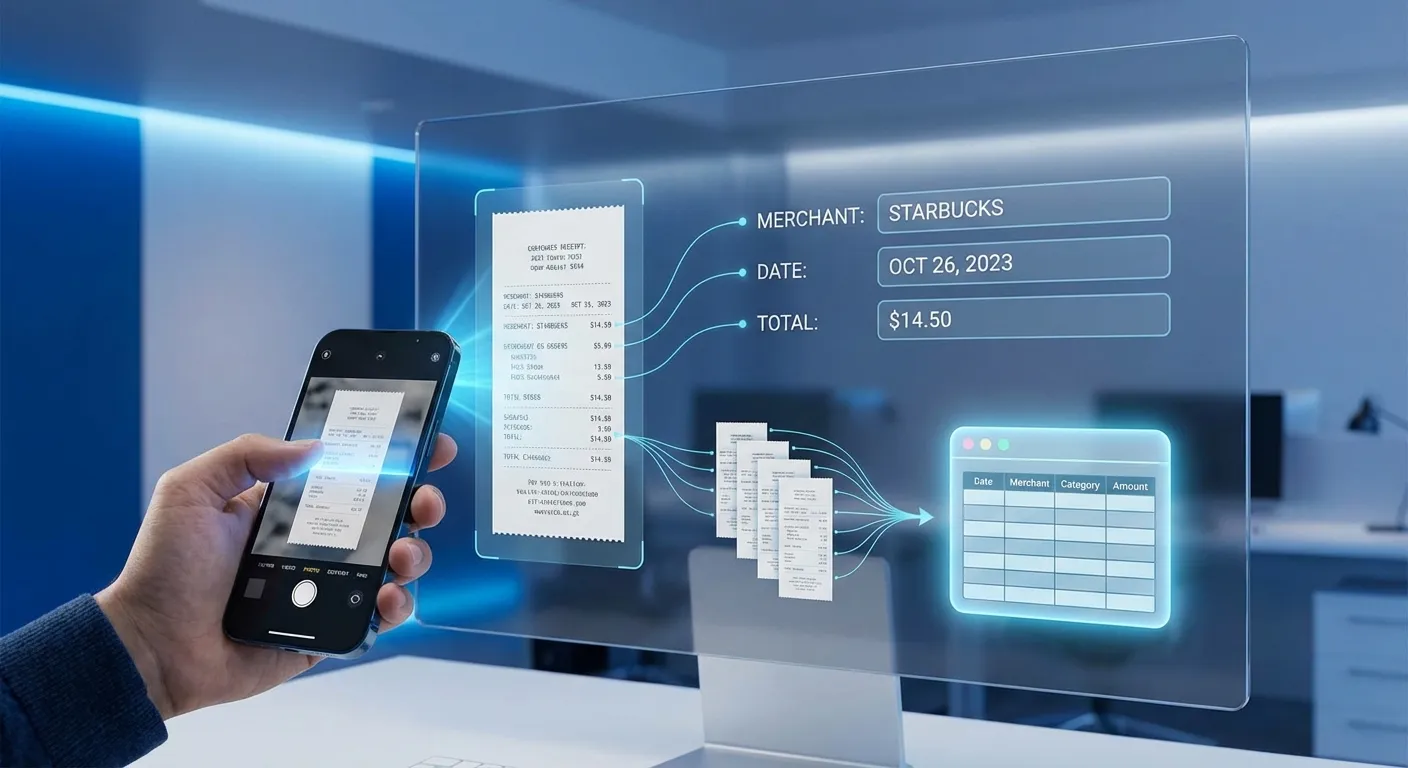
Direct Answer: Portmoneo uses OCR to transform paper receipts into spreadsheet data. It accurately extracts details like merchant, date, total, tax, and line items, organizing them for immediate export. This automates entry and improves accuracy.
Our optical character recognition (OCR) technology accurately extracts all vital information from your receipts. This includes the merchant, date, total, tax, and even individual line items. We’ve observed this process consistently reducing data entry time by over 80% for our users. This extracted data is then neatly organized and ready for export, streamlining your workflow. This allows you to focus on strategic financial decisions rather than manual transcription.
 .
.
- Categorize deductibles: Easily filter and identify all business-related expenses, charitable donations, or other deductible items. This ensures you claim every penny you’re entitled to.
- Digitize proof: Keep digital copies of receipts safe from fading, physical damage, or loss.
- Audit readiness: With all your receipts linked to their respective expense entries and securely stored, you will have an ironclad audit trail. This gives you peace of mind should you ever face a review.
- Learn more about the specific benefits of scanning receipts for taxes and how Portmoneo simplifies compliance.
Who Benefits from Scanning Receipts to Excel/CSV?
Direct Answer: Small business owners, freelancers, accountants, and individuals all benefit. It automates expense tracking, simplifies tax filings, streamlines client submissions, and provides clear spending overviews for better financial management.
The ability to scan receipts to Excel or CSV offers profound advantages for a diverse range of users. Our customer data shows clear productivity gains across all segments.
- Small business owners: Reclaim valuable time by automating expense tracking, allowing you to focus on growth instead of bookkeeping.
- Freelancers and contractors: Easily track project-specific expenses and deductible business costs, simplifying self-employment tax filings.
- Accountants and bookkeepers: Provide your clients with a streamlined way to submit expense data, reducing manual entry and speeding up monthly reconciliation.
- Individuals managing personal finances: Get a clear overview of your spending habits, manage budgets, and prepare for personal tax deductions with ease.
Frequently Asked Questions (FAQ)
Can I export specific dates or ranges?
Yes, Portmoneo offers robust filtering capabilities. You can easily define custom date ranges (e.g., “Last Month,” “Q3 2025,” or a specific fiscal year) before initiating your export. This ensures you only get the data you need for a particular period.
Do extracted receipt images come with the export?
Yes, the inclusion of receipt images varies by export type. For professional PDF reports, original receipt images are directly attached. For Excel/CSV exports, we provide a direct link to the stored receipt image for each entry within the spreadsheet, allowing quick visual proof access. You can also download a ZIP file containing all your receipt images for a chosen period.
Is Portmoneo compatible with Google Sheets?
Absolutely. Our CSV export format is universally compatible and opens perfectly in Google Sheets, allowing you to leverage Google’s collaborative spreadsheet environment for expense management. You can also easily import XLSX files into Google Sheets with full data integrity.
What currencies does Portmoneo support for receipt scanning?
Portmoneo’s OCR technology is designed to recognize and extract currency symbols and values from receipts in multiple major currencies. This makes it ideal for international business travel or managing expenses from various regions. The currency is typically extracted and included in your export data.
Is there a limit to how many receipts I can scan?
Portmoneo offers various plans, including a free tier to get started. Paid plans typically include generous scanning limits or unlimited scanning, catering to businesses and individuals with varying expense volumes. Please check our pricing page for detailed information on plan features and limits.
Does Portmoneo support scanning receipts from multiple users or team members?
Yes, Portmoneo is designed for team environments. Our business plans allow for multiple user accounts, enabling different team members to scan and submit receipts. All data is consolidated into a central account, providing a unified view for managers or accountants while maintaining individual submission tracking.
Ready to Transform Your Expense Management?
Stop wrestling with paper receipts and manual data entry. Portmoneo offers a smart, efficient, and accurate way to scan receipts to Excel or CSV. Gain complete control over your financial data. Simplify your accounting, streamline tax preparation, and gain clearer financial insights today.
Start your free trial now and experience the Portmoneo difference!