Zoho Expense Alternatives: Simpler Tracking & OCR
Zoho Expense offers a strong tool for managing expenditures, particularly for companies already using the wider Zoho ecosystem. When you use Zoho Books, CRM, or Projects, connecting Zoho Expense creates a smooth, unified workflow. It’s designed to fit seamlessly into a larger business management strategy.
However, many users and small teams don’t need a complex software suite. They simply require an effective way to handle expense tracking and scan receipts using OCR. This means avoiding numerous interconnected applications and needing a much simpler approach. The inherent complexity of a full business management platform, while useful for some, can actually hinder productivity.
This perspective is common. While Zoho Expense, much like Expensify, suits larger teams and businesses needing extensive, integrated management. For freelancers, independent consultants, small teams, or those prioritizing focused expense tracking, excellent alternatives are available. These options simplify expense management above all else.
Why Do Users Seek Zoho Expense Alternatives?
Direct Answer: Complexity fatigue. Users leave to escape steep learning curves, rising per-user costs, and “ecosystem lock-in.” They want simple, focused tools, not enterprise suites.
Zoho Expense is a feature-rich solution that performs best within its expansive ecosystem. Still, several reasons prompt users to explore other options. We’ve observed these pain points firsthand when advising small businesses and independent professionals.
What is the Suite Complexity Challenge with Zoho Expense?
Direct Answer: The Suite Trap. Zoho is built to sell you more Zoho. If you just want expense tracking, you’re forced into a UI designed for a dozen other apps. It’s overkill for most.
The core design of Zoho Expense assumes you either already use, or plan to adopt, other Zoho products. While this integration offers powerful advantages, it introduces several potential drawbacks for users seeking simplicity:
- Onboarding Complexity: Learning Zoho Expense often means familiarizing yourself with Zoho’s broader interface conventions and terminology. This can present a steep learning curve if it’s your only Zoho product.
- Feature Bloat: Many features, essential for larger enterprises, might be irrelevant for a small business or freelancer. These unused functionalities often clutter the interface, making it harder to find what you need quickly and diminishing the overall user experience.
- Vendor Lock-in: Building workflows heavily reliant on Zoho integrations makes transitioning away from Zoho Expense more challenging and potentially costly. This can limit your business’s flexibility as needs evolve.
How Does Zoho Expense Pricing and Scaling Affect Users?
Direct Answer: It creeps up. $3/user sounds low, but the useful plan is $8/user. Add CRM and Books, and a small team pays typical Enterprise rates for features they barely touch.
While Zoho Expense’s initial pricing appears reasonable, the costs can escalate quickly, especially as your team expands:
- Standard Plan: Starts at $3 per user per month (for up to 3 users).
- Professional Plan: Jumps to $8 per user per month (beyond 3 users), offering more advanced features.
Consider a small team of five people. At $8 per user, that’s $40 per month solely for expense tracking. When factoring in the common scenario where these teams also pay for Zoho Books (typically $20-$30/month) and Zoho CRM (starting around $14/user/month for basic plans), the cumulative cost can become substantial. Many businesses find themselves paying for a suite of features they only partially utilize, as we frequently observe in our consultations.
Are Focused Alternatives Better Than Comprehensive Suites for Expense Tracking?
Direct Answer: Yes. Focus wins. Dedicated apps do one thing perfectly: track expenses. They are faster, simpler, and cheaper because they aren’t trying to be an entire ERP system.
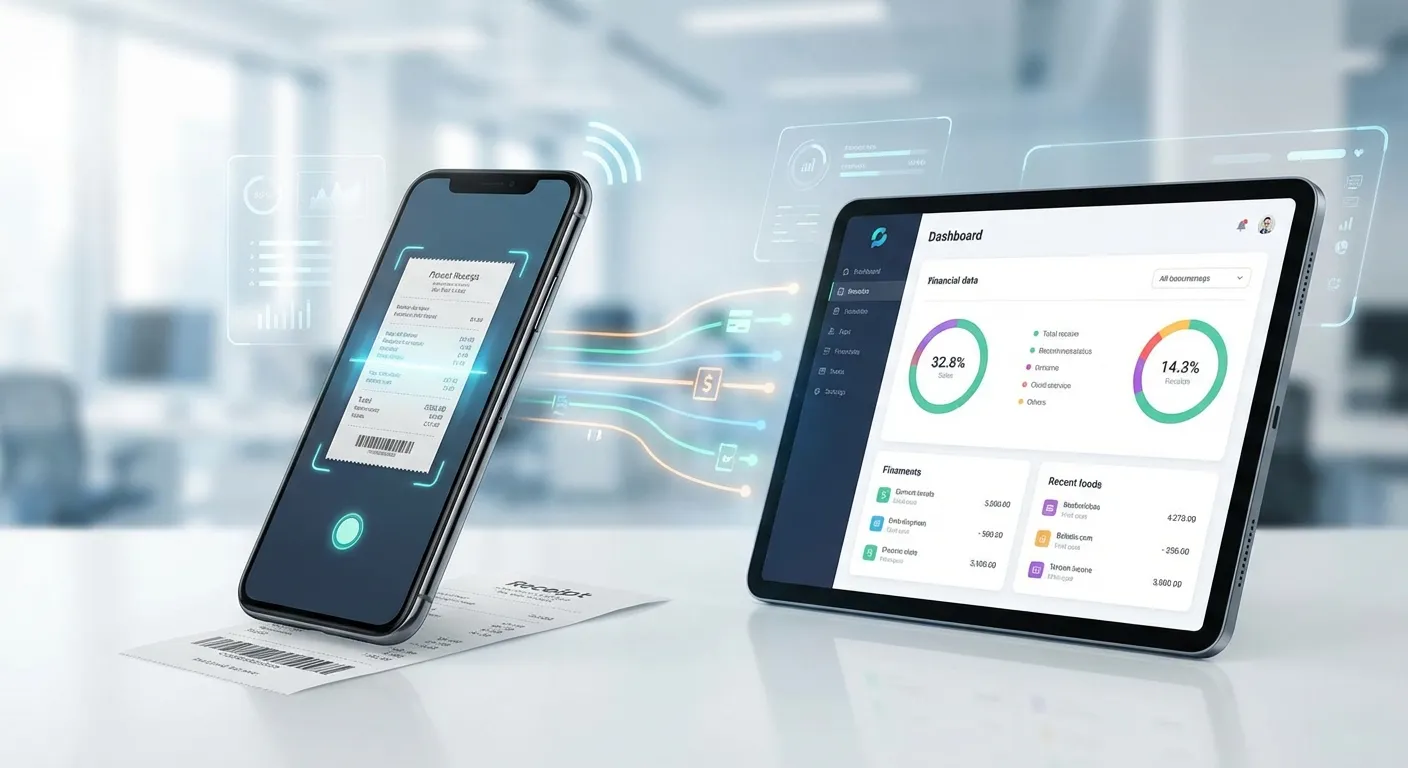
There’s a fundamental distinction between suite-based expense tracking (like Zoho Expense) and dedicated expense tracking apps (such as Portmoneo). Suite solutions are ideal when you need deep, integrated functionality across all business operations. However, for those whose primary need is efficient expense management, these comprehensive platforms can be overkill, both in terms of features and cost. A dedicated simple expense tracker provides a streamlined experience tailored specifically to this core task.
 .
.
How Transparent is Portmoneo’s Pricing?
Direct Answer: Clear and simple. A robust Free Tier for starters, and a Pro Tier ($2-$5/mo) for power users. No hidden per-user traps, just honest pricing for small teams.
-
Free Tier: Portmoneo provides a genuinely functional free tier that includes full receipt scanning, offline mode, categorization, and CSV export. This allows users to experience its core benefits without commitment.
-
Pro Tier: Offers advanced features, unlimited receipt processing, and deeper integrations at an affordable price, typically ranging from $2-$5 per month.
-
Value Proposition: Portmoneo’s pricing is designed for accessibility, providing a comprehensive solution for individual users and small teams who prioritize focused expense tracking. The useful free tier allows for extensive evaluation, ensuring it’s the right fit before any financial commitment. Its transparent pricing avoids hidden fees, making it a budget-friendly
apps like Zoho Expenseoption.
How Does Expensify’s Pricing Structure Work?
Direct Answer: Costly entry. The individual plan is limited (~$5/mo). Team plans start at $5/user with a 2-user minimum, essentially making the entry price $10/mo just to start collaborating.
-
Individual: Starts around $4.99/month, though features are often limited, pushing users towards team plans.
-
Team: Starting at $5/user/month (requires 2+ users).
-
Corporate: Custom pricing for larger enterprises.
-
Reality: Expensify’s individual plan is fairly restrictive, which means most users will lean towards the team pricing. For a 3-person team, this means a minimum of $15/month, and more if higher-tier features are needed. This can quickly add up, especially for smaller businesses or solo operators.
What Are the Costs Associated with QuickBooks for Expense Tracking?
Direct Answer: Overkill. Paying $30+/mo for a full accounting suite just to track receipts is wasteful. Use it if you need the accounting; skip it if you just need expense tracking.
-
Simple Start: Around $15/month (basic features, including income/expense tracking).
-
Essentials: Around $30/month (adds bill management, time tracking, more users).
-
Plus: Around $45/month (adds inventory, project profitability).
-
Advanced: $100+/month (enterprise-level features).
-
Reality: QuickBooks is priced as a full accounting package. If your sole need is expense tracking, you’ll be paying for a vast array of features—payroll, invoicing, inventory, advanced reporting—that you may never use. It’s a comprehensive solution, but potentially overkill and costly for a focused task.
What are the Pricing Tiers for FreshBooks?
Direct Answer: Invoicing-focused. Starting at $15/mo, it’s great if you bill clients hourly. If you just have expenses, you’re paying a premium for invoicing features you sit idle.
-
Lite: $15/month (5 billable clients, basic expense tracking).
-
Plus: $30/month (50 billable clients, more advanced features).
-
Premium: $50/month (unlimited billable clients, project management).
-
Reality: FreshBooks combines invoicing and expense tracking, making it valuable for service-based businesses. However, if you don’t frequently invoice clients, you might find yourself paying for unused invoicing capacity while primarily using it for expense management.
What Factors Determine the True Cost of an Expense App?
Direct Answer: Look closer. The sticker price is just the start. Factor in modules you don’t need, training time, and migration efforts. Standalone apps often have a far lower Total Cost of Ownership.
When evaluating pricing, consider these critical factors:
- What You Actually Need: Do you require only expense tracking, or a broader solution encompassing accounting, CRM, and project management? Paying for an entire suite when you only use a fraction of its features is inefficient.
- Team Size and Scalability: How does the pricing model impact your budget as your team grows? Some solutions have aggressive scaling, while others offer more linear and predictable cost increases.
- Ecosystem Costs and Vendor Lock-in: Are you being subtly pushed towards purchasing additional products from the same vendor to achieve full functionality? Understand the long-term commitment.
- Migration Costs: Consider the time and effort (and potential consulting fees) involved in migrating your data and workflows if you decide to switch later. An easier-to-integrate standalone app like Portmoneo can save significant migration headaches.
For focused expense tracking, dedicated, standalone apps often provide superior value compared to integrated suite solutions. However, for businesses requiring deeply integrated, comprehensive management tools across various departments, a suite solution might justify the higher premium.
 .
.
Is Portmoneo Budget-Friendly for Freelancers and Small Businesses?
Direct Answer: Yes. High ROI. Start for free. Scale cheaply. It’s built for the lean freelancer wallet, prioritizing value over enterprise bloat.
Freelancers and small businesses often operate on tight budgets, requiring tools that deliver maximum value without excessive recurring costs:
-
Truly Useful Free Tier: A free version that isn’t just a short trial, but provides genuinely functional features for ongoing use.
-
Transparent Pricing: Clear, straightforward pricing without hidden fees or complex usage tiers.
-
Affordable Upgrades: Pro-tier pricing that scales logically with actual needs, not based on enterprise-level team sizes.
-
Portmoneo’s Advantage: The free tier is robust enough for many individual users, allowing a full evaluation of its core capabilities. The Pro tier is priced affordably, specifically designed to be accessible for individual professionals and small teams, offering significant value compared to suite solutions.
Why is Portmoneo Suitable for Frequent Travelers?
Direct Answer: Travel-ready. It works perfectly offline (flights, remote areas). Data syncs automatically later. No more “network error” when you’re just trying to save a receipt.
Travel presents unique challenges for expense management, making specific features indispensable:
-
Complete Offline Functionality: The ability to capture and manage expenses reliably, even when internet access is unavailable (e.g., on flights, in remote areas).
-
Reliable Sync: Assurance that all offline data will synchronize correctly and without loss once connectivity is restored.
-
Accurate Time Zone Handling: Correct timestamping of expenses across different time zones to maintain accurate records.
-
Portmoneo’s Advantage: Its comprehensive offline functionality ensures you can manage expenses seamlessly, whether you’re on a transatlantic flight or in an area with poor signal. Data syncs automatically and reliably once connectivity returns, guaranteeing no expense is ever lost. This makes it an exemplary
offline expense trackingtool.
How Can You Successfully Migrate from Zoho Expense to a New App?
Direct Answer: The Plan: 1. Export Data. 2. Pick a clean date (e.g., 1st of month). 3. Run both apps for 2 weeks. 4. Cut the cord. Transitioning is safer with a short overlap.
Deciding to switch from Zoho Expense to a different solution is a significant step. A structured migration plan can help ensure a smooth transition with minimal disruption to your expense tracking workflows. Our experience with various data migrations emphasizes the importance of each step.
How Do You Export Data from Zoho Expense?
Direct Answer: Reports -> Export. Select “All Data” and CSV format. IMPORTANT: Manually download receipt attachments; they don’t always export in the bulk file.
- Log in to Zoho Expense: Access your account from a web browser.
- Navigate to Reports/Export: Look for options to export your data, typically found under “Reports” or “Settings.”
- Select Date Range and Format: Choose to export all historical data or specific date ranges. CSV format is highly recommended for maximum compatibility with other software.
- Export Expense Reports and Attachments: Ensure you download both the summarized expense reports and all individual receipt attachments. These attachments are crucial for audit trails.
- Download Custom Configurations: If you have custom categories, tags, or fields, export these definitions. This will help you replicate your existing structure in the new system.
- Pro Tip: Export data in manageable monthly or quarterly chunks if you have a large volume, as this can make processing easier. Also, save a copy of your category structure to help map it accurately in your new
simple expense tracker.
Should You Evaluate Zoho Ecosystem Dependencies Before Switching?
Direct Answer: Yes. If Zoho Books relies on Expense for data, you need a replacement workflow (like CSV import). Don’t break your accounting chain without a plan.
Before fully committing to a switch, identify any critical dependencies on Zoho Expense within your broader Zoho ecosystem:
-
Zoho Books Integration: Are your expenses automatically syncing to Zoho Books for reconciliation and financial reporting?
-
Zoho CRM Workflows: Do specific sales or client management workflows depend on expense data from Zoho Expense?
-
Automated Reports/Processes: Are there any automated reports, alerts, or internal processes tied directly to Zoho Expense?
-
Decision Point: If Zoho Expense is deeply integrated into other Zoho products that are central to your operations, switching may require a broader re-evaluation of your entire Zoho setup. If you’re primarily using Zoho Expense as a standalone tool, the migration will be much more straightforward.
When Is the Best Time to Migrate Expense Data?
Direct Answer: Clean breaks. Start of a month or quarter. Avoid tax season. A 2-week “double entry” period ensures you don’t lose anything while getting comfortable.
Timing is crucial to minimize disruption:
- Best Time: The start of a new month, quarter, or fiscal year. This creates a clean break point for your financial records.
- Avoid: Peak expense reporting periods or tax season, which are already stressful.
- Recommendation: Plan for a “parallel run” period where you use both systems simultaneously for 2-4 weeks. This allows you to thoroughly test the new system and ensure a smooth transition.
What are the Steps to Set Up a New Expense Alternative?
Direct Answer: 1. Sign up. 2. Re-create Categories. 3. Test Scanning. 4. Export a sample report. Verify the data flow before going live.
Once you’ve selected your Zoho Expense alternative, configure it meticulously:
- Create an Account: Sign up for your chosen alternative, ideally starting with its free tier or trial.
- Configure Expense Categories: Replicate your existing Zoho Expense categories. Many alternatives allow for custom categories and tags.
- Set Up Integrations: Connect your new expense tracker to your preferred accounting software (e.g., QuickBooks, Xero) or other financial tools.
- Test Receipt Scanning: Run extensive tests with various receipt types (crisp, faded, email, PDF) to confirm OCR accuracy and efficiency. This is vital for any
receipt scanner alternative 2026. - Familiarize Yourself with Export: Understand how to export data and generate reports from the new system.
- Train Team Members: If applicable, provide clear instructions and training to any team members who will be using the new system.
Why is a Parallel Run Period Crucial for Migration?
Direct Answer: Safety Net. It catches configuration errors without risking real data. Compare the two systems to ensure the new one matches or beats the old accuracy.
This is a critical phase for a successful migration:
- Dual Tracking: For the designated parallel period (e.g., 2-4 weeks), log all new expenses in both Zoho Expense and your chosen alternative.
- Compare and Contrast: Regularly compare data accuracy, ease of use, feature completeness, and reporting capabilities between the two systems.
- Identify Gaps: Note any missing workflows, features, or integrations in the new system that are crucial to your operations.
- Make Adjustments: Use this period to refine your setup in the new system, update processes, and address any unforeseen challenges before fully committing.
- Document Changes: Record any new processes or adjustments required by the alternative.
What Does it Take to Finalize an Expense App Migration?
Direct Answer: Finalize it. One last export from Zoho (archive it). Cancel the sub. Update your team. Enjoy the simplified workflow.
Once you are fully confident in the new system:
- Export Final Data: Conduct a final export of any remaining data from Zoho Expense.
- Archive Zoho Expense Data: Store all your exported Zoho Expense data (reports, receipts, configurations) in a secure, accessible location for historical reference and audit purposes.
- Cancel Zoho Expense Subscription: Once your team is fully transitioned, cancel your Zoho Expense subscription. Also, re-evaluate any other Zoho product subscriptions that might have been tied to Zoho Expense.
- Update Integrations: Ensure all your accounting software and other financial tools are now integrated with your new expense tracker.
- Notify Stakeholders: Inform your team, accountants, and other relevant stakeholders about the change and new procedures.
- Update Documentation: Amend any internal documentation or guides that reference Zoho Expense.
- Migration Timeline: Depending on the complexity of your setup and the size of your team, plan for a total migration timeline of 4-6 weeks, with the parallel run being the most crucial period for ensuring a smooth, error-free transition.
Frequently Asked Questions About Zoho Expense Alternatives
Can I use Zoho Expense alternatives if I’m already using other Zoho products?
Yes, you can use Zoho Expense alternatives even if you utilize other Zoho products. However, you will likely lose the seamless, automatic data syncing. You may need to manually export and import expense data or find an alternative that offers compatible integrations with Zoho Books or other Zoho services.
Will I lose data by switching from Zoho Expense?
No, you should not lose any data if you diligently export all your historical information from Zoho Expense before canceling your subscription. Most Zoho Expense alternatives support CSV or Excel imports, allowing you to transfer essential data, or at least keep comprehensive historical records.
Is Zoho Expense really that complex?
“Complexity” is subjective. For users deeply embedded in the Zoho ecosystem, Zoho Expense is powerful. However, for those primarily seeking standalone expense tracking, its interface can feel cluttered and overly feature-rich, creating a steeper learning curve than necessary because its design assumes broader Zoho product usage.
Can alternatives integrate with Zoho Books?
Some apps like Zoho Expense may offer direct integrations with Zoho Books, but the depth varies. For alternatives without direct connections, the most common integration method involves exporting data in CSV or Excel format from the new app, then importing it manually into Zoho Books for reconciliation.
What if I only need expense tracking, not the full Zoho suite?
If you only need efficient expense tracking, a focused alternative like Portmoneo will offer better value. You’ll benefit from a simpler interface, more affordable pricing tailored to individual or small team needs, and features specifically optimized for expense management, rather than it being a secondary function of a larger suite.
How do team approval workflows compare between Zoho Expense and alternatives?
Zoho Expense, as part of an enterprise suite, offers robust, multi-level approval workflows for complex organizational structures. While alternatives like Portmoneo provide basic multi-user features and reporting, they typically won’t match Zoho Expense’s sophistication in granular role-based access, often favoring simpler, more streamlined team processes.
Can I try alternatives without canceling Zoho Expense?
Absolutely, and it’s highly recommended. Most Zoho Expense alternatives offer free tiers or trials, allowing you to evaluate features and user experience without financial commitment. This “parallel run” approach lets you compare workflows and determine the best fit before fully transitioning.
Conclusion: Finding the Right Fit for Your Expense Management Workflow
Zoho Expense is a capable solution, particularly when leveraged as an integral part of the broader Zoho ecosystem. For businesses requiring a comprehensive suite of management tools with deep, seamless integration across departments, it presents a compelling offering. However, for a growing number of individuals, freelancers, and small teams whose primary need is focused expense tracking, dedicated alternatives offer compelling advantages in terms of simplicity, affordability, and specialized features.
The ultimate goal is to match the tool precisely to your actual needs. If your business requires interconnected expense tracking, accounting, CRM, and project management functionalities, a suite solution like Zoho Expense might be the most efficient path. Conversely, if your core requirement is simply robust, efficient expense tracking without the overhead, a focused alternative such as Portmoneo provides superior value through a simpler, more intuitive, and highly specialized experience.
The best way to evaluate these options is to try them firsthand. Most alternatives provide either generous free tiers or trial periods, enabling you to assess their fit without financial risk. Begin with the solution that best aligns with your priorities—whether that’s focused expense tracking, privacy-first design, comprehensive offline functionality, or budget-friendly pricing. Conduct a parallel run alongside your current system, and confidently make the switch once you’re assured the alternative fully meets your requirements.
Ready to simplify your expense tracking and reclaim your productivity? Try Portmoneo free today and experience focused expense management without the complexities of a full software suite.